

Added
Try it — preview a schema draft before you publish
2 days ago
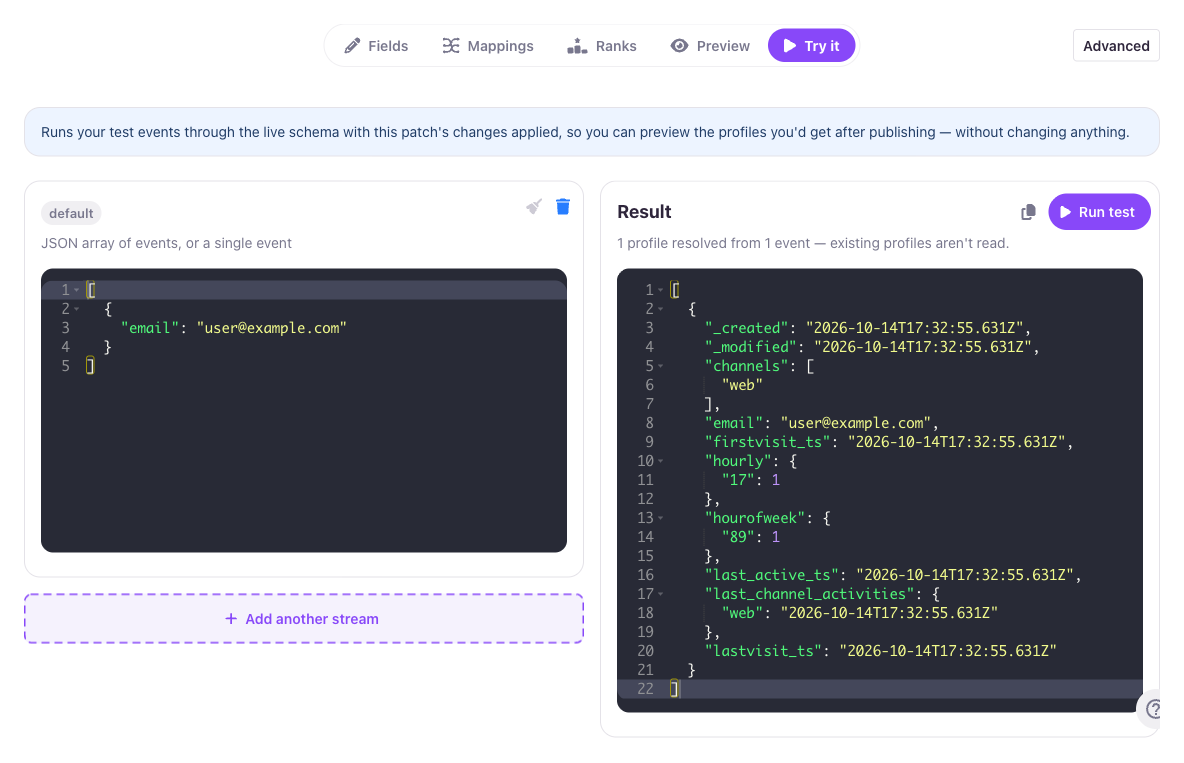
The schema Draft editor now has a Try it tab for running sample events through your staged changes and seeing the profile they resolve to before you publish.
How it works
- No setup, no customer data. Each stream your draft maps gets its own events box, pre-filled with a synthetic sample built from the draft's own mappings. Try it never reads your real stream data.
- See the result instantly. Choose Run test, and the resolved profile comes back as JSON, with a summary of the fields your draft adds or changes versus the live schema.
- Catch problems early. Streams that map no identifier, or whose events wouldn't contribute to the result, are flagged up front, before you apply anything.
Nothing is published or written to any profile by running a test. See Schema Drafts for the full walkthrough.