

Flows
What is a Flow?
Flows is a visual workflow system for orchestrating user experiences by managing relationships between audiences, channels, and end users. It offers a canvas-based interface to create, manage, and monitor complex journeys.
Why Flows?
Previously, managing user journeys in Lytics required:
- Building custom audiences one-off
- Setting up separate exports individually
- Managing complex relationships between different components
- Limited visibility into user progression through experiences
Flows improves on all of the above by:
- Visualizing the entire user journey in a single, intuitive canvas
- Centralizing workflow management for all audience, personalization, and export relationships
- Providing real-time insights into user progression and performance
- Enabling advanced personalization throughout a user's flow progression
- Simplifying complex campaign management with reusable templates
Core Concepts
Flow Components
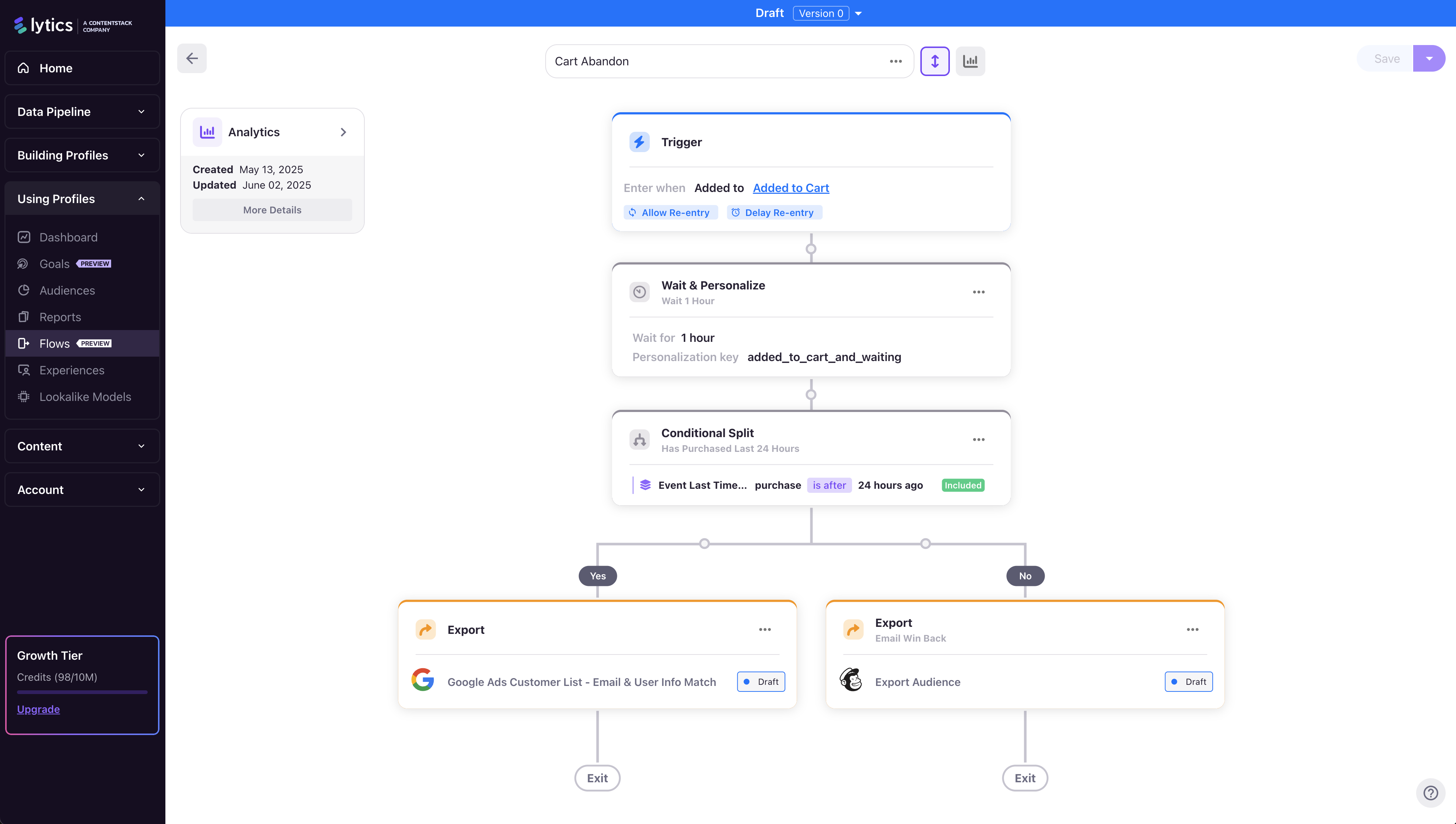
Flows manage user experiences through a series of connected components that define entry conditions, sequential steps, export actions, conditional logic, and wait states. Every Flow consists of these key elements:
- Trigger Step: The entry point that defines when users enter and re-enters the flow
- Wait & Personalize Steps: Control cadence & personalization logic based on time or condition through a flow
- Export Steps: Deliver user data to external systems and channels in real-time
- Conditional Splits: Create branching paths based on custom rules
Flow States
Flows can exist in three states:
- Draft: Flow is being configured and is not active
- Running: Flow is live and processing users
- Draining: Flow is in the process of stopping but allowing existing users to complete the flow
Common Use Cases
Flows enables a wide variety of user experience scenarios:
- Cart Abandonment: Re-engage users who didn't complete purchases
- Drip Campaigns: Deliver content over time based on user behavior
- Lead Nurturing: Guide prospects through sales funnels
- Retention Campaigns: Re-activate dormant users
- Event-Triggered Communications: Respond to specific user actions
Integration with the Lytics Ecosystem
Flows integrates seamlessly with existing Lytics features:
- Audiences: Use any existing audience as a trigger condition
- Trigger Based Exports: Access all available export destinations and configurations
- Web Personalization: Flow state becomes available for real-time website personalization
- Profiles: User flow progression is tracked on individual profiles
Next Steps
Ready to get started? Continue to Getting Started to learn how to access Flows and create your first workflow.
Updated about 1 year ago